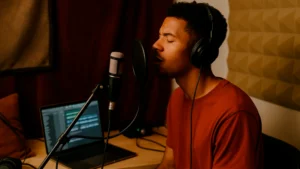
How to Use Autotune Without Sounding Robotic
Discover how to use autotune with pro settings, creative tips, and free tools to level up your vocal sound.
What Makes Travis Scott and Roddy Ricch Sound So Different?
They both use autotune, but the vibe is completely different. That’s the magic: autotune isn’t just for fixing mistakes — it’s a creative tool. Whether you want that spacey Travis sound or the smooth Roddy delivery, it all comes down to how you set it up.
What Is Autotune and How Does It Work?
Autotune is a pitch correction tool that adjusts your voice to the closest musical note.
It can be used in two main ways:
- Subtle correction (used in pop, R&B, and gospel)
- Heavy processing for stylistic effects (like trap and melodic rap)
It listens to the input (your voice), then shifts the pitch to match the key and scale you’ve chosen.
Basic Settings for Beginners
If you’re just getting started, here’s what you need to know:
- Key & Scale: Make sure it matches your instrumental. This is step zero.
- Retune Speed:
- Slow (20ms–50ms) = More natural sound
- Fast (0ms–10ms) = Robotic or stylized sound
- Humanize: Helps preserve the natural fluctuations in your voice
- Flex Tune (or similar): Controls how aggressively autotune reacts
- Formant Control (if available): Keeps your vocal tone intact when pitch shifting
Pro tip: Even if you’re doing melodic rap, try tweaking Retune Speed and Humanize until it matches your emotion and flow.
Tips to Sound More Natural or More Stylized
Want more Travis or more T-Pain? Here’s how to adjust:
To Sound More Natural:
- Use a slower retune speed (15ms–40ms)
- Add humanize if the plugin supports it
- Focus on clean takes — autotune works best when the performance is already solid
- Avoid stacking too many FX before autotune
To Get a Stylized Sound:
- Use 0ms retune speed
- Don’t be afraid to exaggerate the effect — make it part of the aesthetic
- Try layering harmonies or doubling vocals with different retune speeds
- Use formant shifting to add a surreal quality to your voice
Free Tools to Get You Started
Here’s a quick list of tools to help you explore autotune creatively:
Work Directly With a Producer
Want help tuning your vocals professionally or creating your signature vocal chain?
Book a custom vocal session with me — let’s get your sound dialed in.
You May Also Like:

5 Ways to Monetize Your Music (Without Going Viral)
Monetize your music without going viral, learn 5 practical strategies to turn one single into multiple income streams.

Vocal Recording Tips: Record Better Vocals in Home
Discover essential vocal recording tips to improve your home studio and capture clean vocals with the mic you already have.

3 Reasons to Work on Your Music Artist Branding
Discover why music artist branding is essential before releasing your first tracks, build recognition and attract loyal fans.
How to Release a Single and Multiply Your Revenue Opportunities
Learn how to release a single with purpose and strategy. Discover how independent artists can turn one song into multiple income streams.